Listen Offline at Your Speed
Version 2.4A fresh look. Same love for audio.
Your audio.
Your pace.
No internet required.
Listen to your own audio files offline. Adjust playback speed, skip silences and pick up where you left off.
3 free imports · One-time unlock · No subscriptions
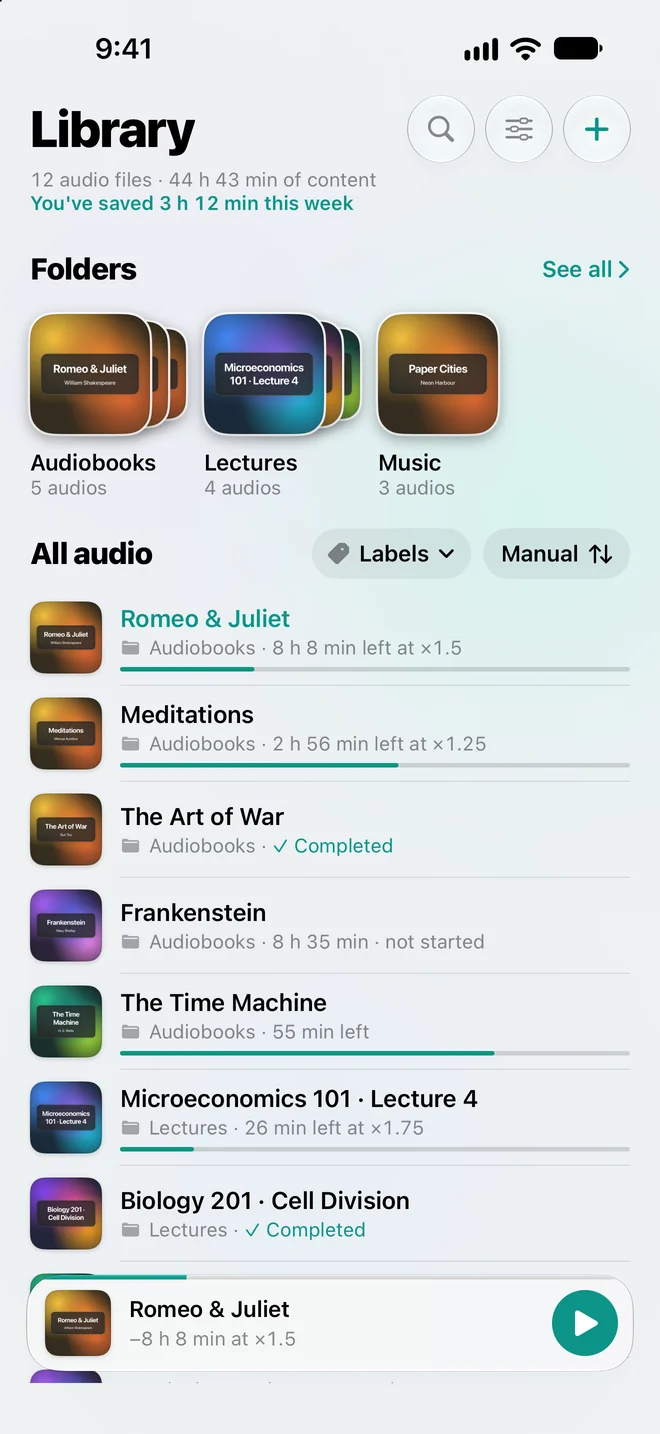
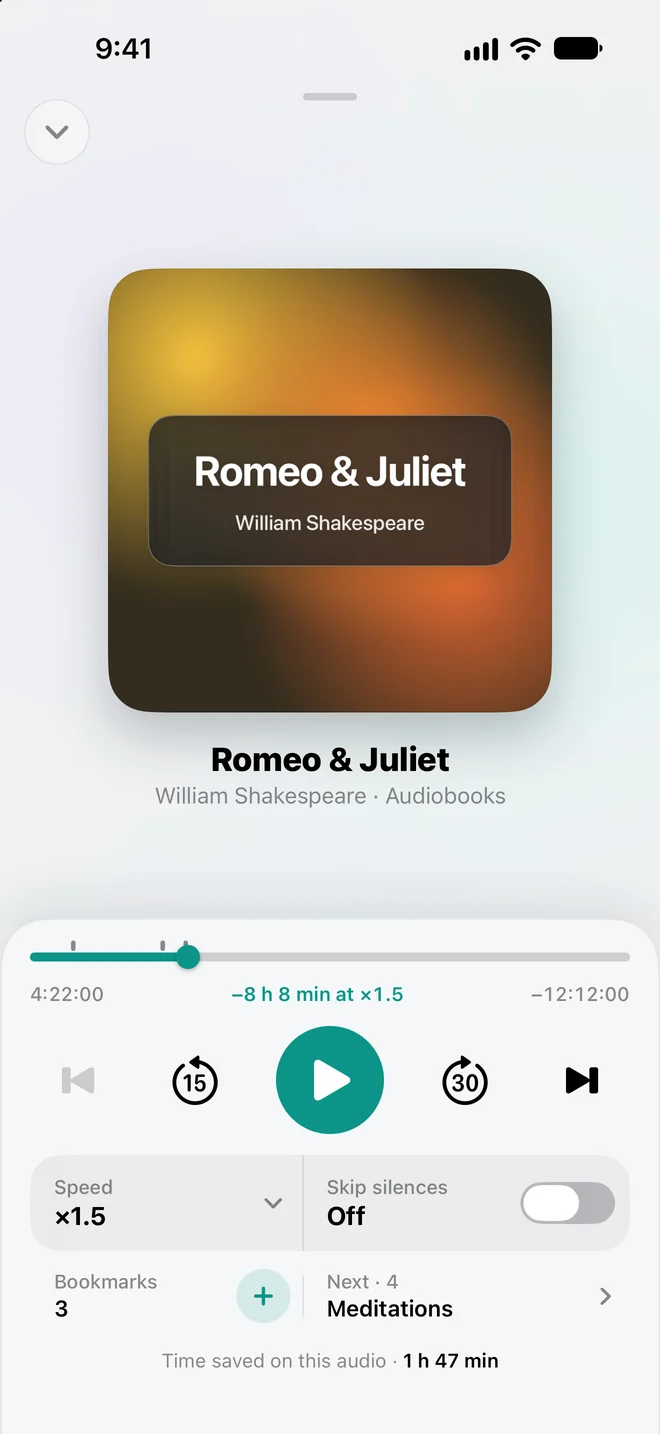
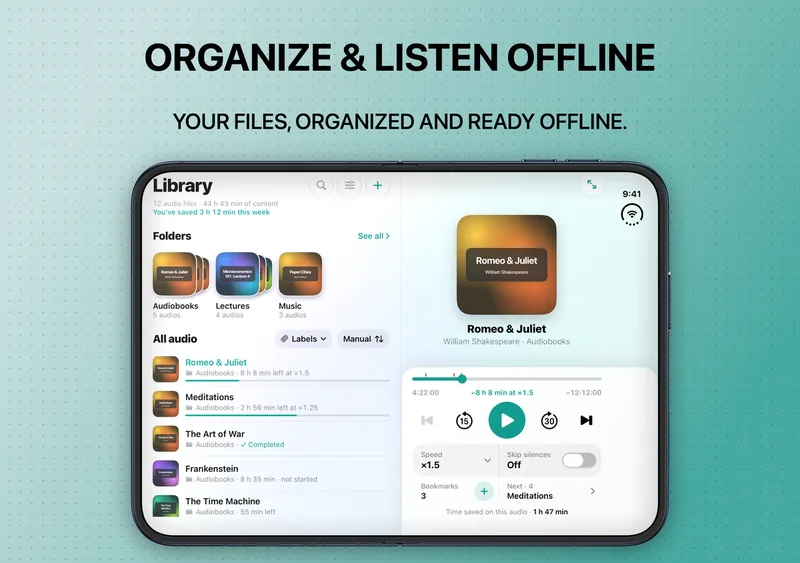
Built for offline listeningImport your own files from iCloud Drive and listen without an internet connection.
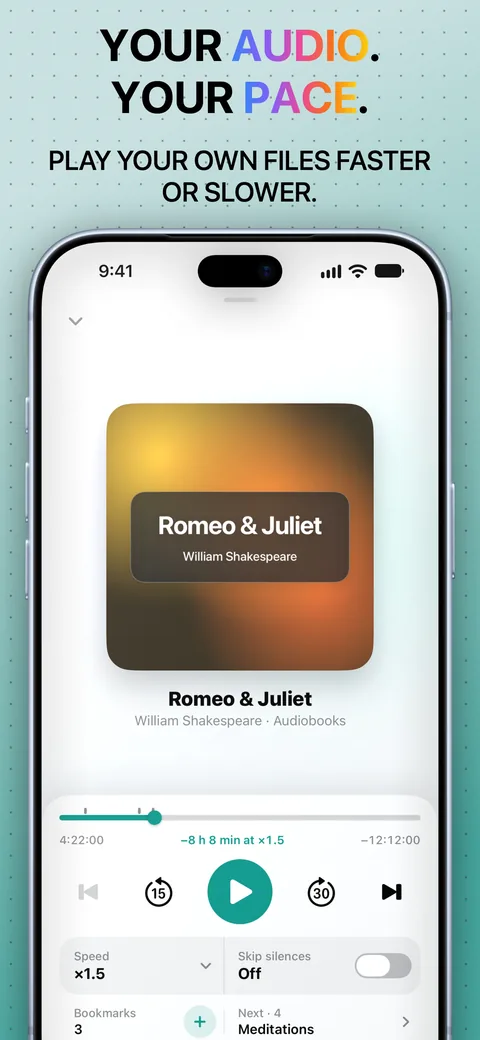
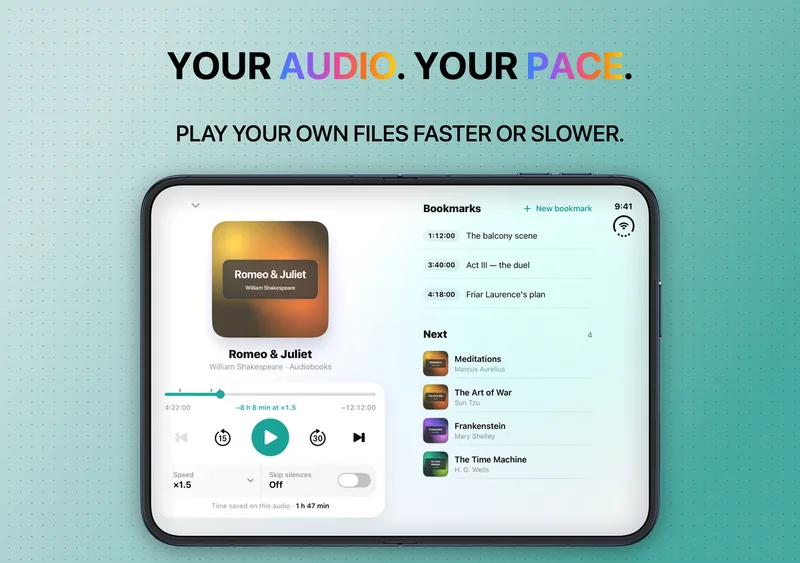
Choose playback speeds from 0.5× to 2×Automatically skip silences without touching the controls.
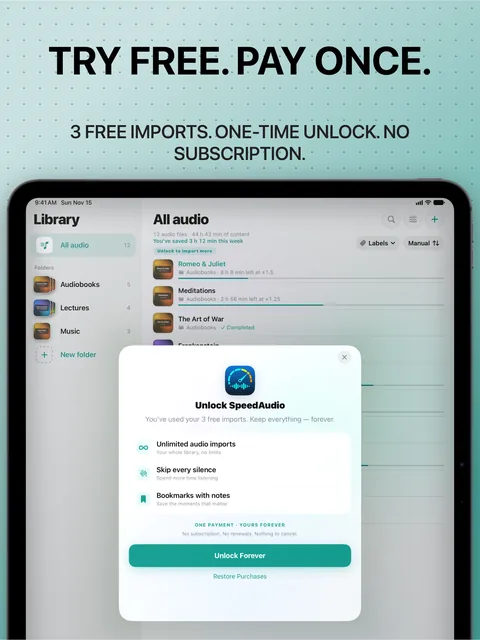
Try 3 audio imports freeDownload SpeedAudio free and try it with 3 audio imports.
One payment. Yours forever.No subscription. No recurring fees. Nothing to cancel.
What’s new in 2.4
A fresh look.
Same love for audio.
We gave the Library and Player a little makeover. Finding your audio is easier, playback feels better, and everything looks right at home on iPad and iPhone Duo.
Your audio. Your pace. No internet required.
Listen more efficiently
Choose playback speeds from 0.5× to 2×
Automatically skip silences without touching the controls
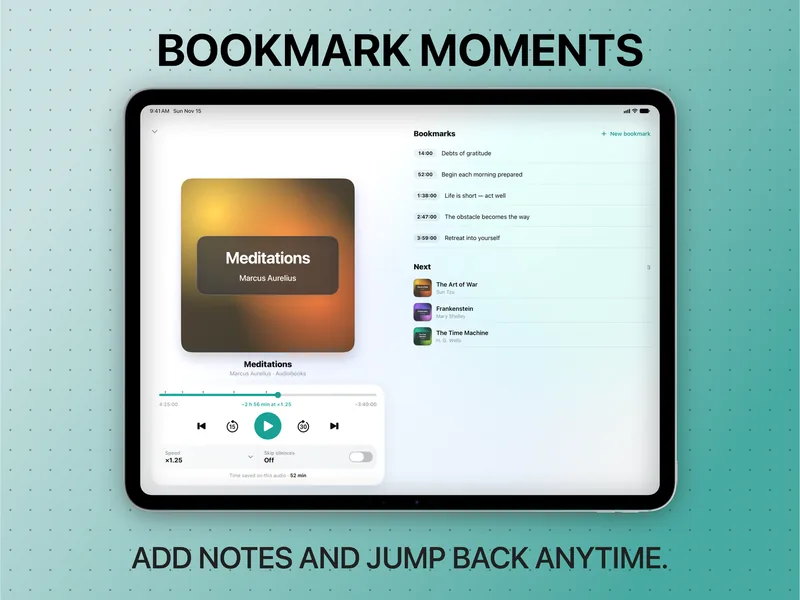
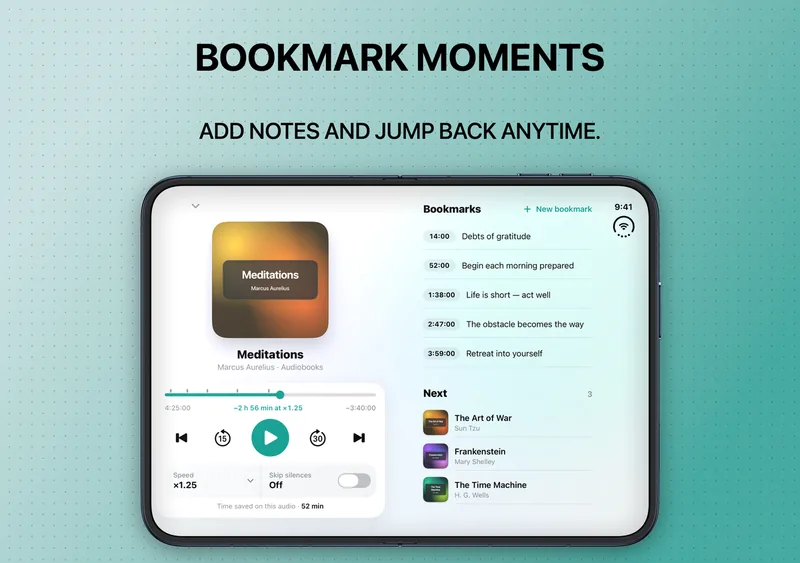
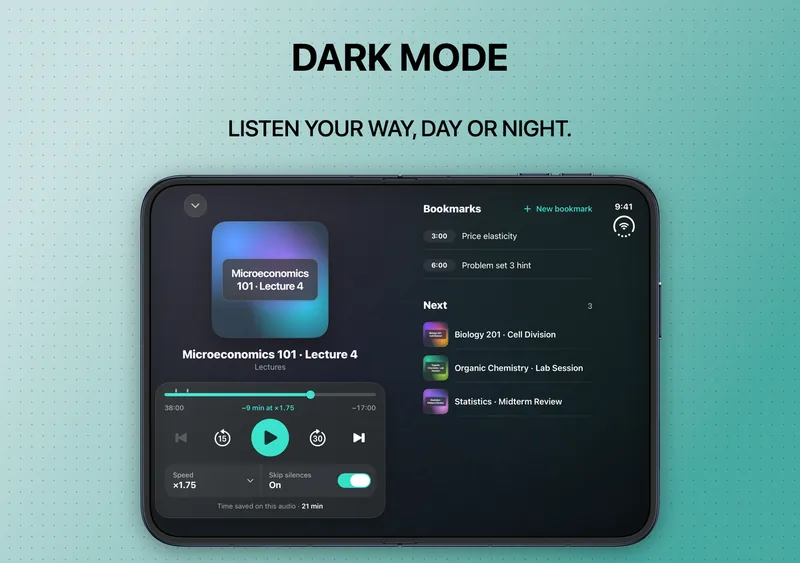
Add bookmarks with notes to save important moments
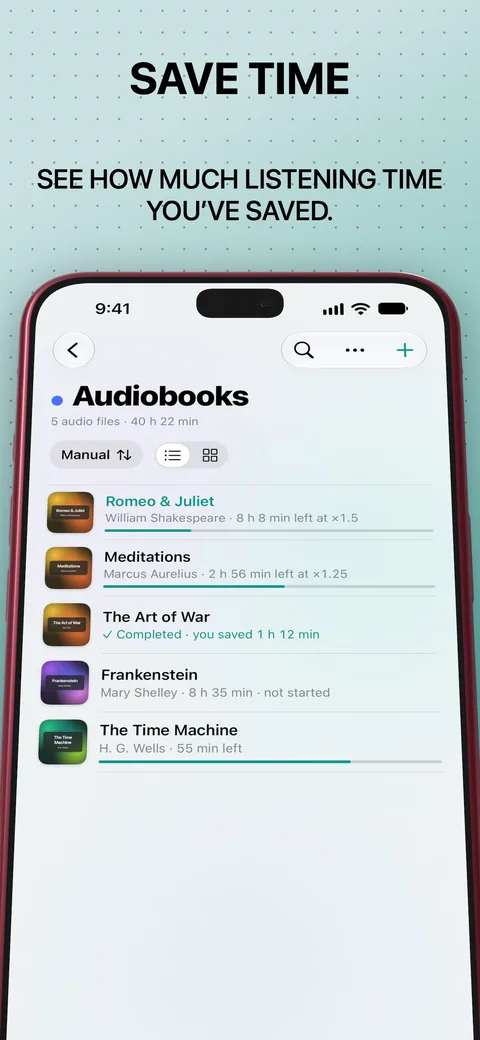
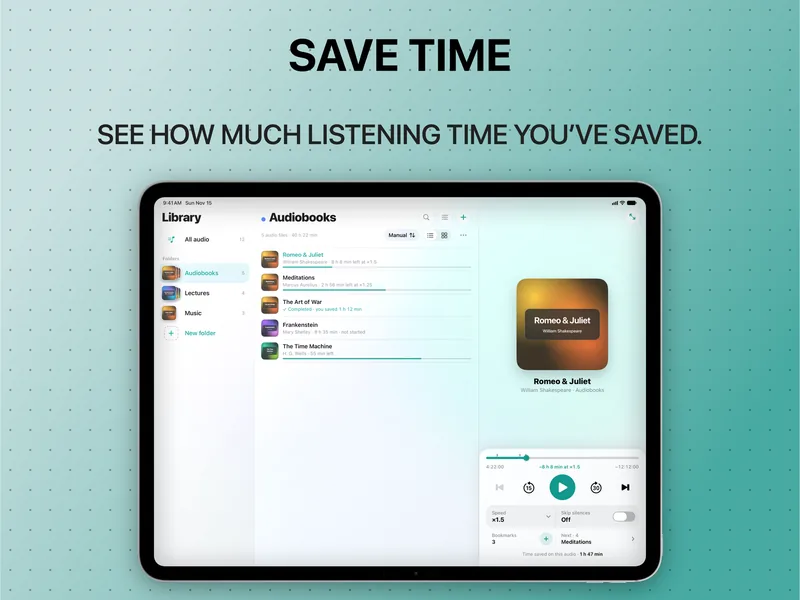
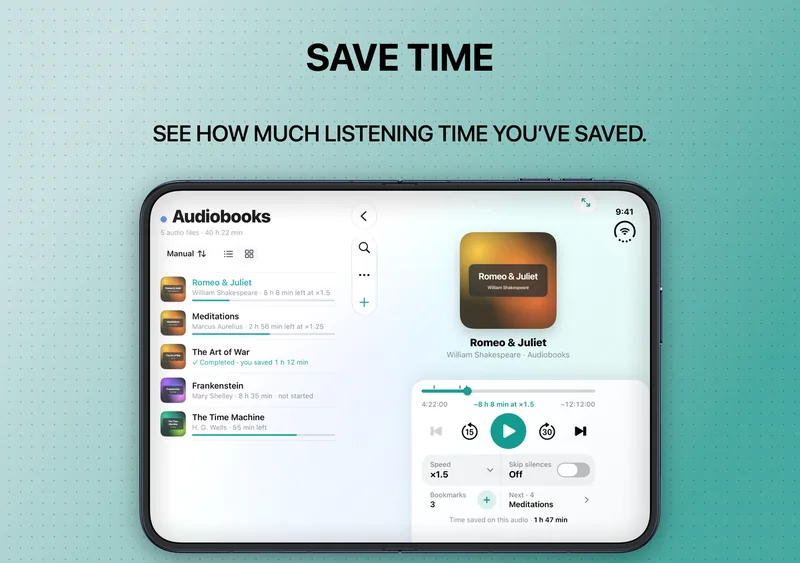
See how much listening time you’ve saved
Resume every file exactly where you stopped
Open the player automatically when playback starts
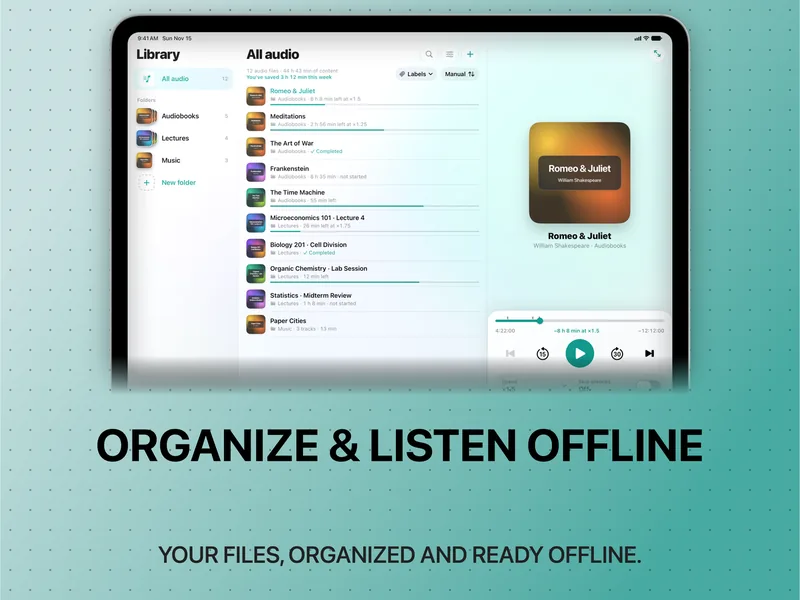
Your library, organised
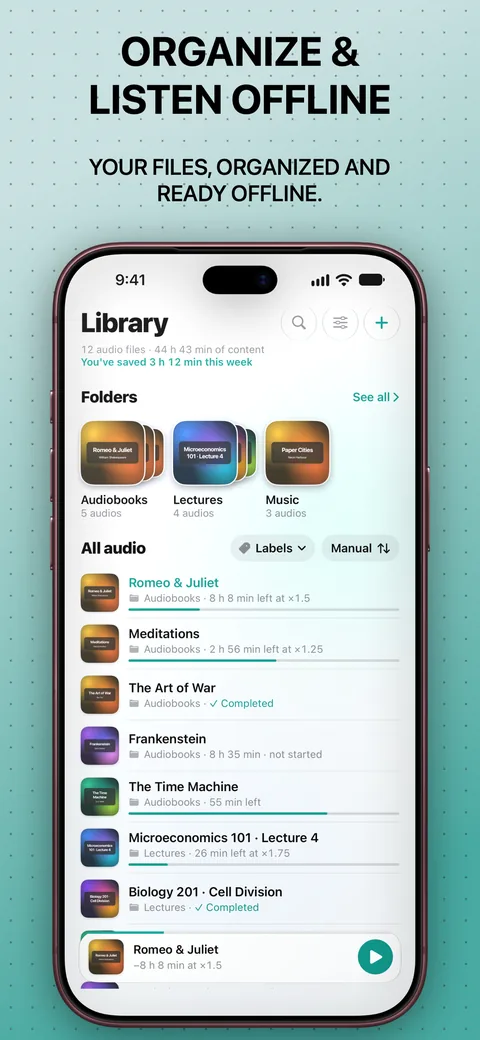
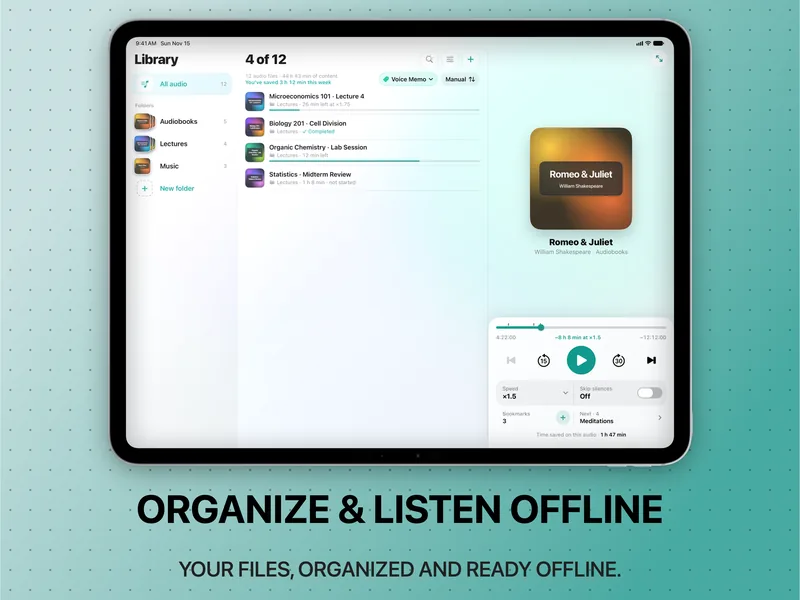
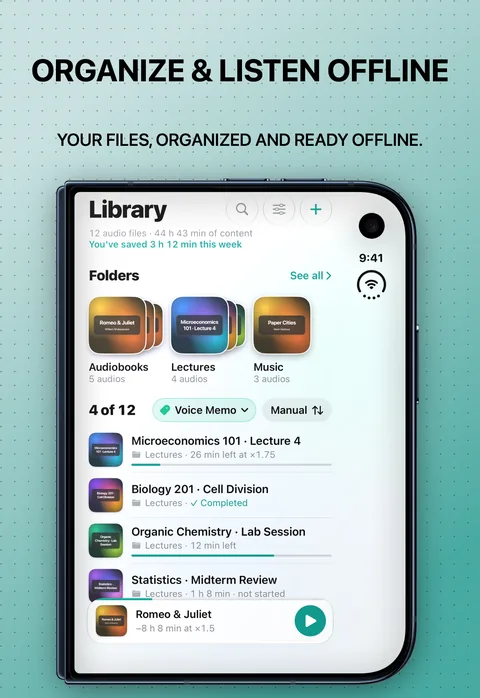
Create folders, give them custom colours, and keep audiobooks, lessons, recordings, and other audio easy to find.
Built for offline listening
Your audio stays on your device or in your iCloud Drive.
Private by design
No account. No ads. No analytics. No tracking. No third-party SDKs.
A clean, native experience
SpeedAudio uses the Liquid Glass design of iOS 26 for a modern, focused listening experience, with layouts that adapt to iPhone, iPad and iPhone Duo.
Made for your listening
Simple on purpose.
From your first import to the last bookmark, every screen is designed to stay clear and focused.
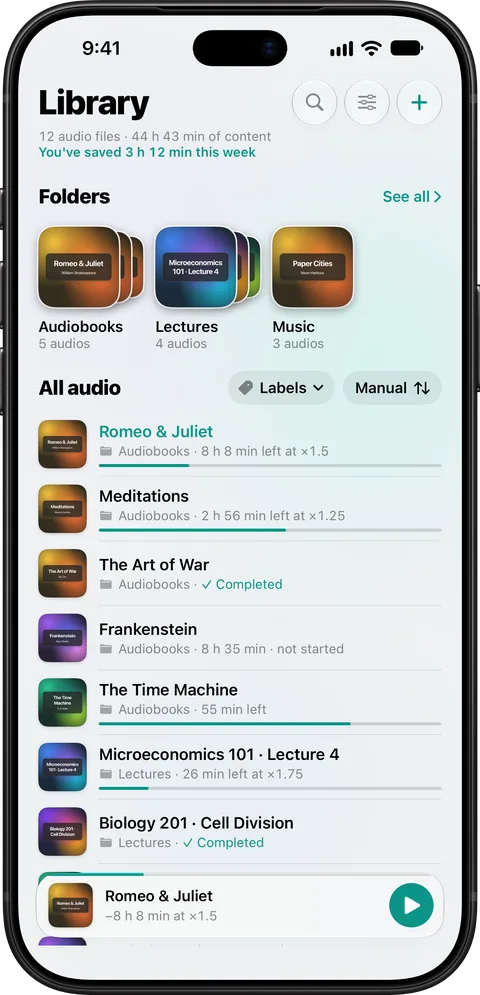
iPhone
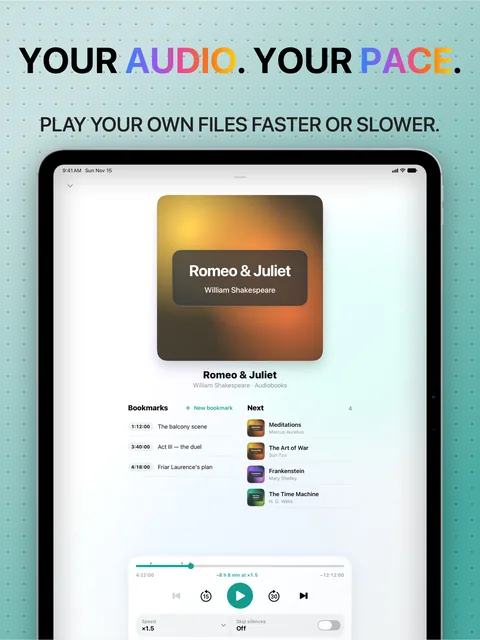
The playback console sits at the bottom, within thumb reach.
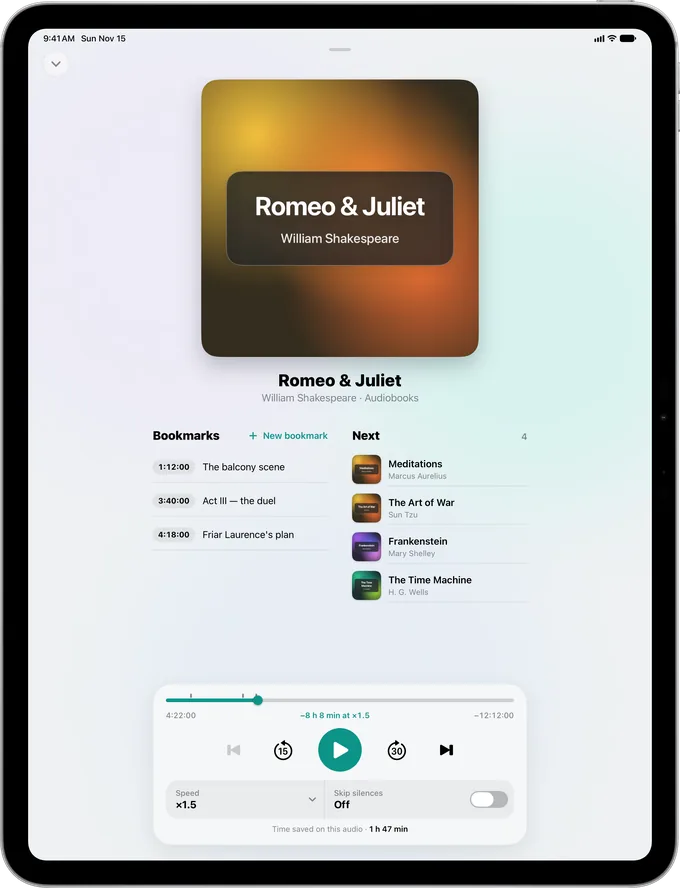
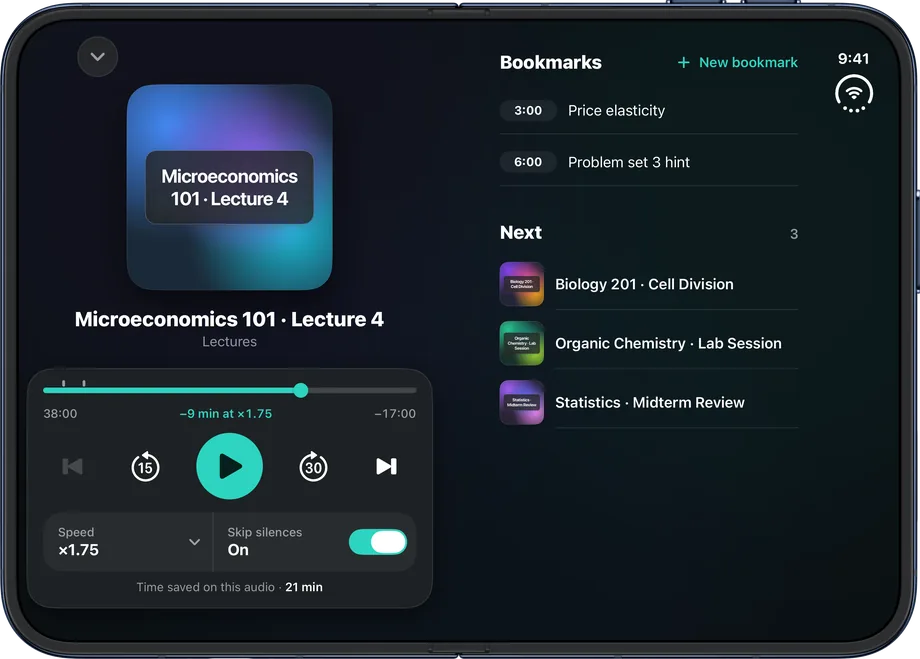
iPad
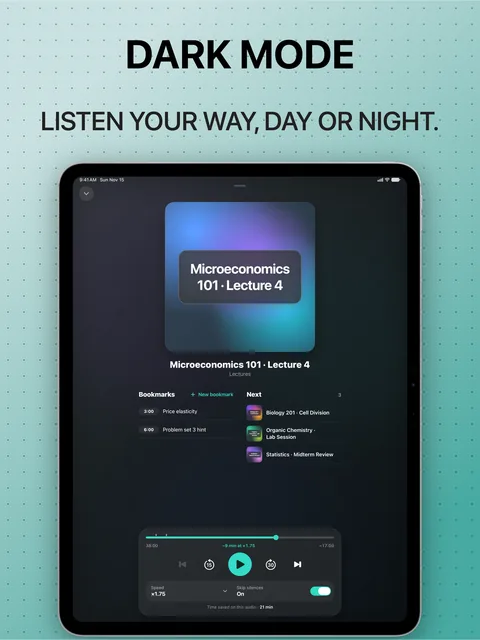
A two-zone Player: artwork and controls together, Bookmarks and Next beside them.
iPhone Duo
Adapts to the outer and inner screens, with the two-zone Player when open.
iPhone screens
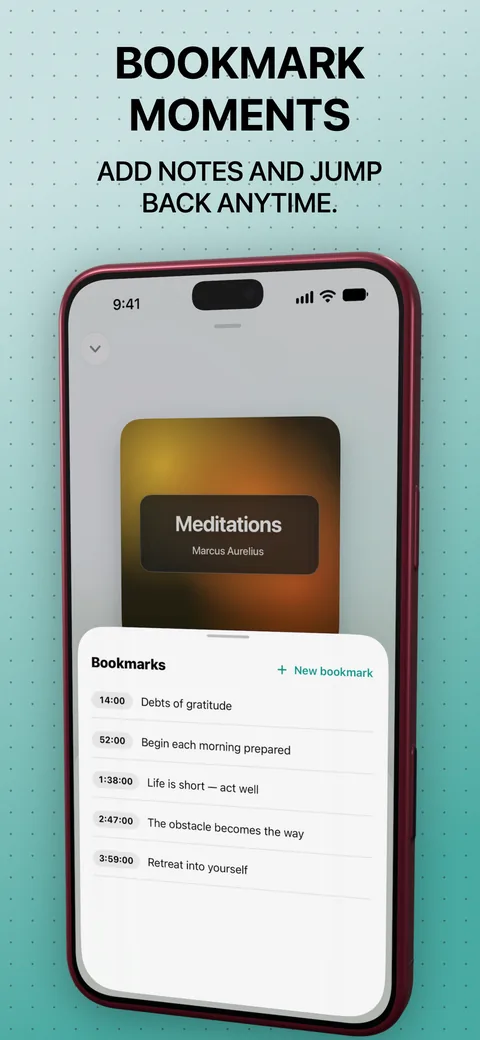
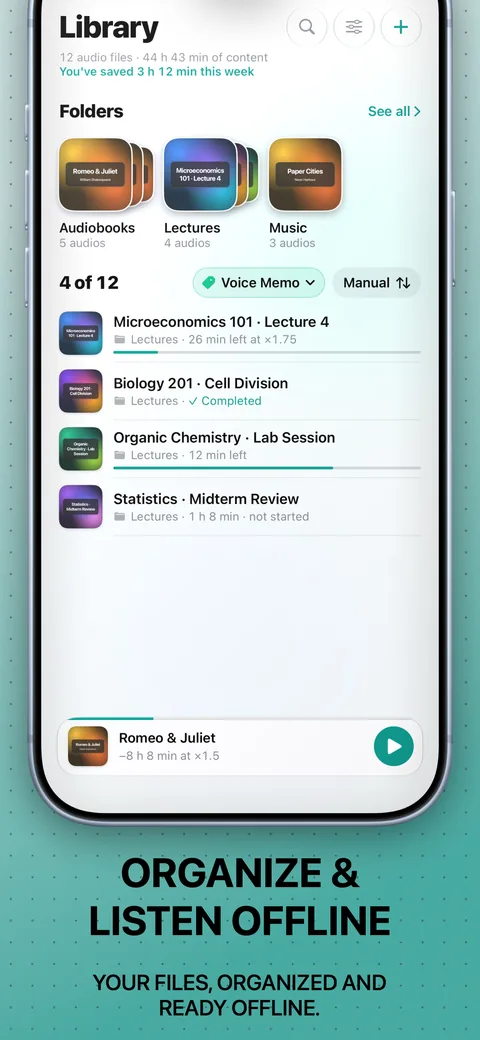
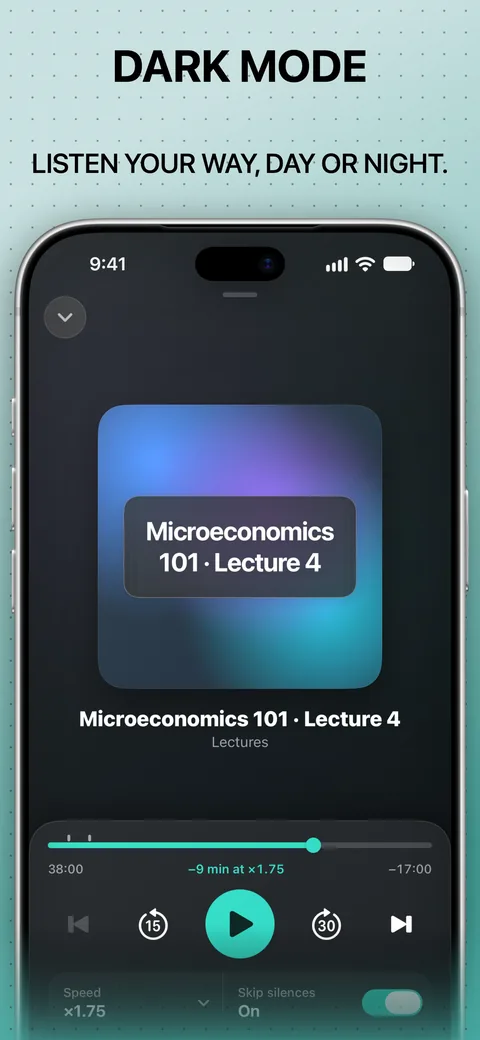
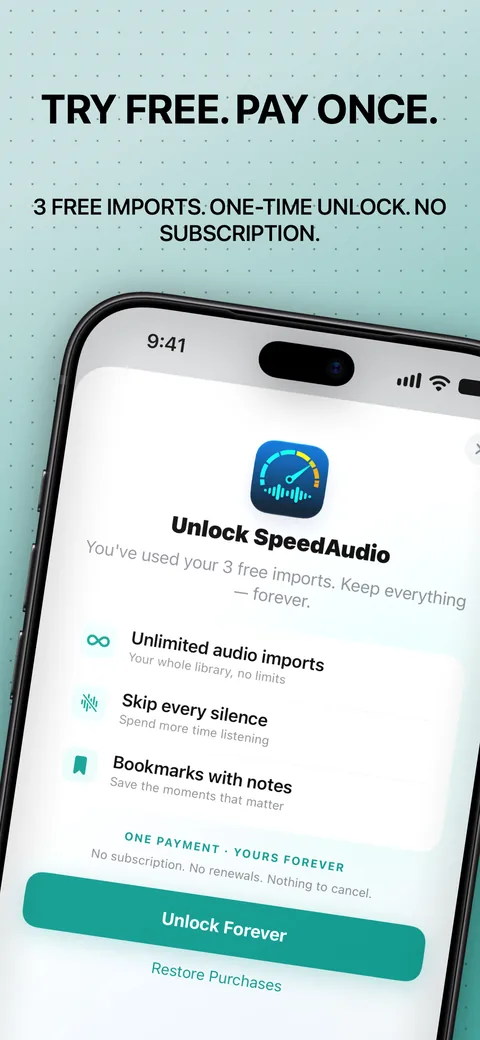
iPad screens
iPhone Duo screens
Try 3 audio imports free
One payment.
Yours forever.
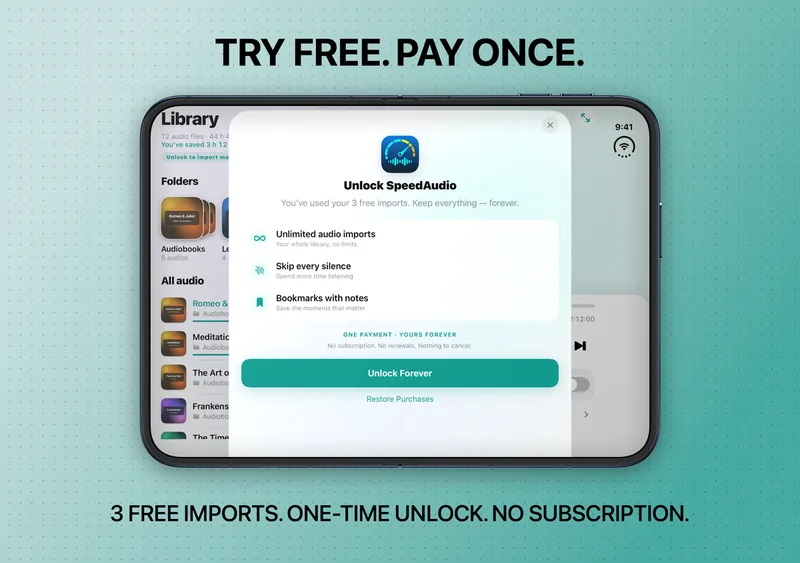
Download SpeedAudio free and try it with 3 audio imports. When you’re ready, unlock unlimited imports with a single one-time purchase.
Try it free
3audio imports
Download SpeedAudio free and try it with 3 audio imports.
Unlock unlimited imports
1×one-time purchase
When you’re ready, unlock unlimited imports with a single one-time purchase.
Version 2.4
Version
history.
Every SpeedAudio release, newest first.
A fresh look. Same love for audio.
We gave the Library and Player a little makeover. Finding your audio is easier, playback feels better, and everything looks right at home on iPad and iPhone Duo.
We also squashed a few bugs. They won't be missed.
Better on bigger screens
SpeedAudio 2.3 makes better use of larger screens.
- A new two-pane layout shows Library and Now Playing side by side on wide screens.
- A better iPad experience, with layouts that adapt to the shape of the screen.
- Support for iPhone Duo, adjusting as the screen changes shape and posture.
- The player and welcome screens adapt more smoothly to different layouts.
- FLAC imports now read embedded title, artist, album, genre and cover artwork.
- Additional playback and stability improvements.
More room to play
Same audio. A much bigger stage.
- A proper iPad experience, rebuilt for the big screen.
- Previous and Next joined the controls, by popular request.
- Skip Silences can now be your default.
- Queues, imports, and playback got a serious tune-up behind the scenes.
- Polished and ready for iOS 27.
A smoother mix
- A few bugs got mixed out of the final track
- Small tweaks for a smoother listening experience
- Fresh new app icon
A complete new listen
A complete Liquid Glass redesign, bookmarks, automatic silence skipping, colored folders, time saved and a smarter player.
More languages, smoother playback
SpeedAudio became available in 11 new languages, with performance improvements and smaller fixes.
The first listen
The original offline player: your files from iCloud Drive, playback speed and lock-screen controls.
Private by design
No account.
No ads.
No account. No ads. No analytics. No tracking. No third-party SDKs.
Read the privacy policyAlso by Sergi Serrano
More small apps,
made with care.
Stepyfocus
A private, gentle way to build walking habits with goals, streaks and Apple Watch complications.
Go Home Already
Funny reminders and a workday countdown that nudges you out the door on time.
DigginCrate
A simple way to discover music and albums.
TicShow
Keep track of your TV series and remember where you left off.
Listen Offline at Your Speed
Your audio.
Your pace.
Your audio. Your pace. Listen offline, skip silences, save bookmarks and see time saved. Try 3 imports free, then unlock once — no subscription.
Download on theApp Store